 MeasureHere
Printable Ruler
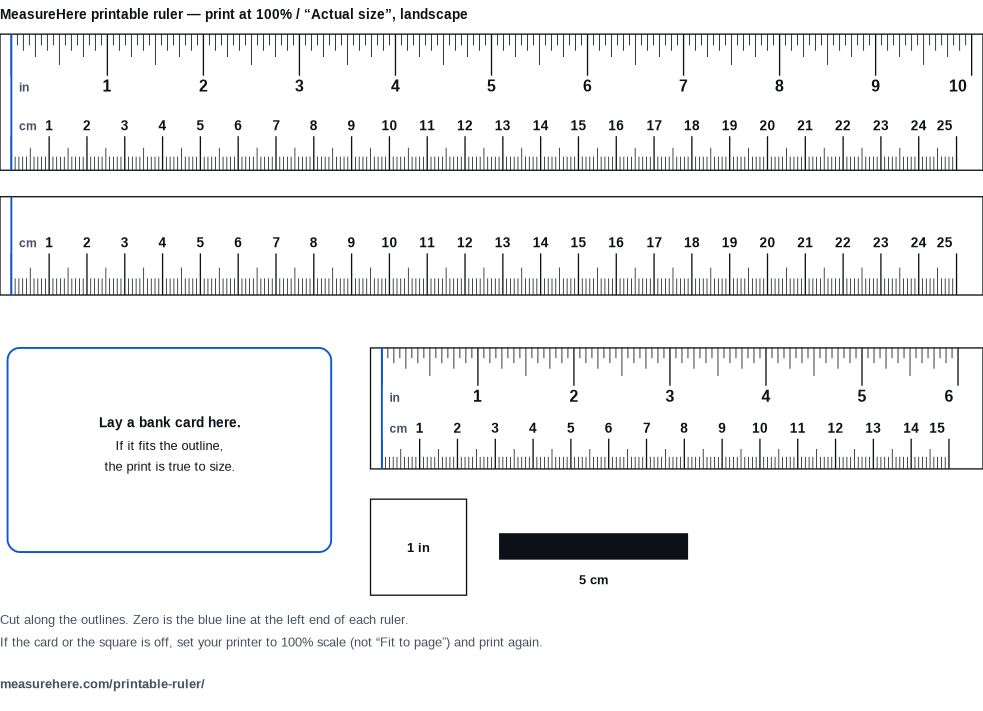
Print this page at 100% scale on Letter or A4 paper, in landscape, and you get a 10-inch ruler, a 25 cm ruler and a 6-inch ruler at true size, with a bank-card outline to check the print.
The ruler sheet
Print it at the right size
- Open the print dialog with the button above, or press Ctrl+P (Cmd+P on a Mac).
- Choose landscape and turn off "Fit to page": set scale to 100%, "Actual size" or "None".
- Check before you cut: lay a bank card on the outline. A card is 85.60 × 53.98 mm under the ISO/IEC 7810 ID-1 standard, so if it fits, the ruler is true to size.
- Cut along the outlines and line objects up with the blue zero line.
No printer?
The online ruler works on the screen of your phone or computer, at real size once you match a bank card.
Questions people ask
Why is my printed ruler the wrong size?
The printer scaled the page. Most print dialogs default to "Fit to page" or "Shrink to fit", which makes the ruler a few percent small. Choose 100%, "Actual size" or "None" under scaling and print again; the bank-card outline will then match a real card.
Can I print a 12-inch ruler on Letter paper?
Not in one piece: a Letter sheet is 11 inches long and printers need a margin, so this sheet has a 10-inch ruler. For longer lengths, measure in two parts or use a tape measure.
Is a printed ruler accurate?
Printed at 100% scale, the marks come out at their real size, but paper can stretch and cutting can drift. Check it against the bank-card outline or a real ruler before relying on it for anything that has to fit.